Discord will show public-server messages on Google: what changes, who it affects and how to turn it off

On 27 October 2026 Discord announced that some conversations in its public servers will no longer stay inside the app: they will be able to appear on web pages and in search engines such as Google. It does not affect private messages or small servers, but it does affect thousands of communities. We explain what changes, who can see it and how to control it.
What Discord has announced
Discord lets communities with at least 1,000 members appear in its directory, "Discover servers" (Server Discovery), so anyone can join without an invite link. Now it wants what is said in those servers to be easier to find from outside: according to Dexerto, a lot of useful information that used to be on forums now lives inside Discord and can't be searched on the web. More than 63,000 servers are affected.
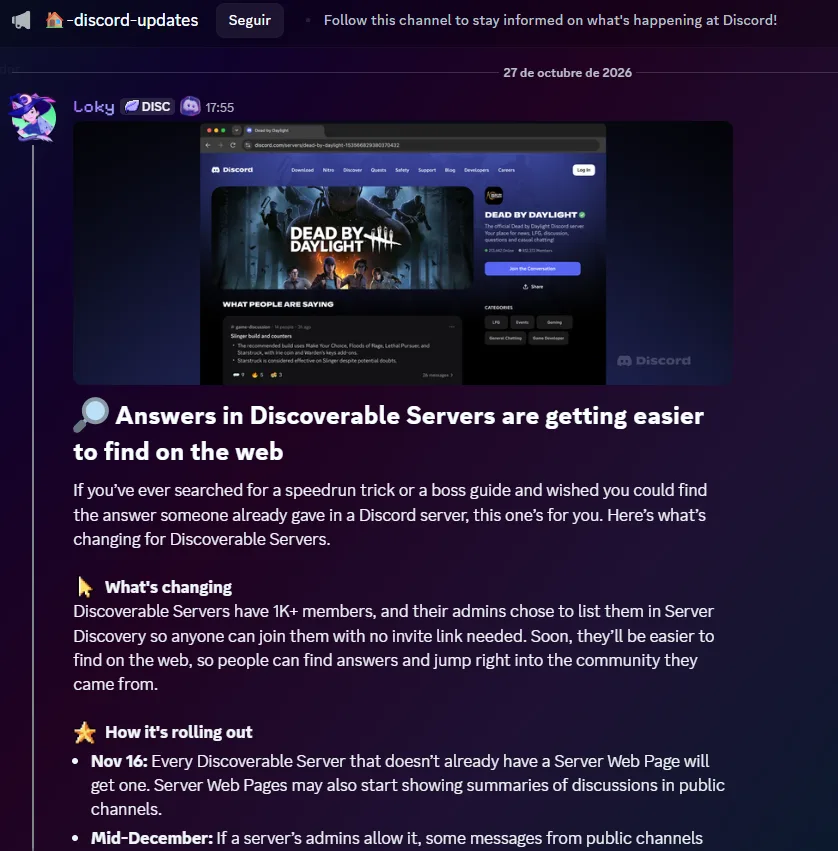
The calendar
- 27 OctDiscord announces the change.
- 16 NovEvery discoverable server that doesn't have a server web page (Server Web Page) gets one. Those pages can show summaries of the conversations in public channels.
- Mid-DecIf the admins allow it, some messages from public channels may start appearing on server pages and in search engines. It will be gradual: it may take weeks before the first ones show up.
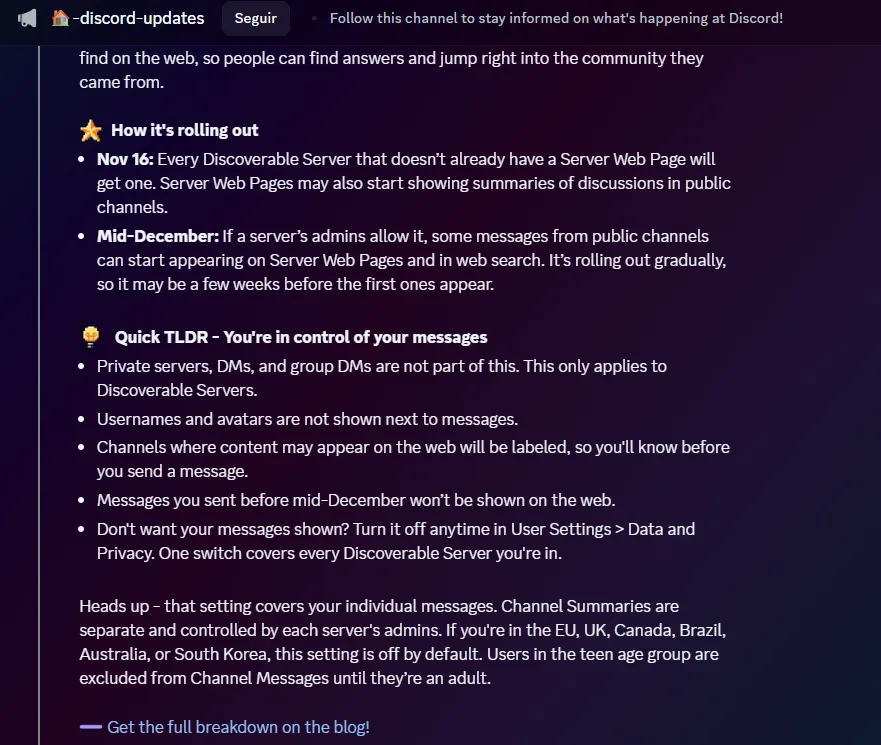
What changes and what doesn't
What changes
- Every discoverable server will have a public web page.
- Messages from public channels may appear on those pages and in search engines.
- The pages may show automatic summaries of the conversations.
- Channels whose content may appear on the web will carry a label.
What doesn't change
- Private servers, direct messages and group chats are left out.
- Usernames and avatars are not shown next to messages.
- Messages sent before mid-December are not published.
- Servers with fewer than 1,000 members or that are not in the directory are not affected.
Who it affects
- Members of discoverable servers. Their messages in public channels may appear if the setting is on for them.
- Admins and moderators. They decide which channels take part and whether the summaries are shown.
- Minors. Discord excludes them from "Channel Messages" until they are adults.
- Everyone else. Anyone who only uses private servers or direct messages is not affected.
| Where you live | Default setting |
|---|---|
| European Union (including Spain), United Kingdom, Canada, Brazil, Australia and South Korea | Off: you would have to turn it on yourself. |
| Rest of the regions, including the US (adult users) | On: you can turn it off. |
| Minors | Excluded until they are adults. |
How it would look in a search engine
Example made up by FireFighter: it illustrates that the message appears without a name or photo, but with all its text.
What risks it has
- What is public becomes lasting. What gets indexed can stay stored in search engines and archives even if you later delete it from Discord.
- Personal data in plain sight. In introduction or help channels it is easy to leave a real name, an email, a city or a school, and the message can identify you even if your username isn't shown.
- Messages without context. A joke or irony outside its conversation can be misunderstood.
- Public messages could already be copied. According to Gizmodo, researchers at the Federal University of Minas Gerais (Brazil) collected more than 2 billion messages from public servers and Discord said that broke its terms. Now the content will be more visible.
How to protect yourself if you are a user
- Open Discord and go to User Settings → Data & Privacy (
User Settings > Data & Privacy). - Look for the switch called
Channel Messages(according to the press; the exact wording may vary) and set it as you like. One switch covers all the discoverable servers you are in. Discord warns that it may take a while to appear on some accounts. - If you have already written something you don't want to appear, delete it. Turning the setting off prevents future messages from being published, but what already appeared stays visible until you delete it yourself.
- Don't post personal data (real name, email, phone number, city, school) in public channels.
- Check which channels carry the label saying their content may appear on the web before writing in them.
- If you are a minor you don't have to do anything: Discord excludes you until you are an adult.
How to protect yourself if you run a server
- Check whether your server is discoverable: if it has fewer than 1,000 members or is not in the directory, it doesn't affect you.
- Open Server Settings → Web Presence (
Server Settings > Web Presence) and choose which channels take part, or turn them all off. According to the press, if you change nothing the eligible public channels stay switched on, and Discord talks about "if a server's admins allow it": check it before 16 November. - Separate what you want to be found (help, FAQs, announcements) from what you don't (social chat, complaints, internal information). Move anything sensitive to private channels.
- Decide about channel summaries (Channel Summaries): admins control them, separately from each user's setting, and they can be turned off.
- Tell your community which channels can appear on Google and how to turn it off, and update your rules or your privacy policy if needed.
- If you use FireFighter, exclude from web presence the trap channel (
>>honeypot), the verification channel and any channel where spam is posted or people are sanctioned, and keep the logs (>>logs) in private channels.
Frequently asked questions
Will my name or photo be shown?
No: Discord says usernames and avatars are not shown next to messages. Even so, what you write can identify you.
Will my old messages be published?
No. Only messages sent after mid-December.
If I turn the setting off, does what already appeared disappear?
No. It only prevents new messages from being published. What has already been published stays visible until you delete it on Discord.
Does it affect my small or private server?
No. It only affects discoverable servers, with 1,000 members or more and listed in the directory.
And my direct messages and group chats?
No. They are left out completely.
Has Discord already tested it?
According to Dexerto, it tested it with the NBA 2K, Rust and Dead by Daylight communities, and only with messages from admins and moderators.
Our opinion
The idea makes sense for guides, support and FAQs, which today get lost inside Discord. But what matters is that every person and every admin can decide with information. That is why it is worth checking your settings now and not when it is already under way.
Sources
- Dexerto: Discord will soon let anyone find public server messages through Google
- El Ecosistema Startup: Discord abrirá sus servidores públicos a Google en 2026
- Pirat Nation on X
- Discord Previews on X
- Official Discord announcement in the #discord-updates channel of the Discord Town Hall server (27 October 2026).